Go to tradingview.com and log in to your own TradingView account.
Step 1

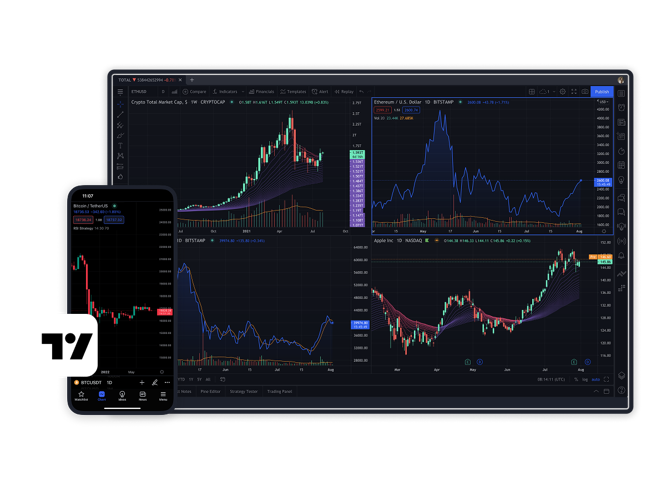

Interactive and responsive 15+ chart types with 90+ drawing tools and a wide range of customisations.

100+ pre-built indicators for popular strategies and thousands more custom-built in the community.

Never miss a trading opportunity with 12 notification conditions on price, indicators, and strategies.

Stock screener with 100+ descriptive and technical criteria, financial news and corporate statements.

Simulate trading activity and use historical data to test various strategies and setups with detailed reports.

Communicate and follow top community traders from around the world and never trade alone again.
Trusted broker with 20+ years of experience in the industry and 40+ awards by respected review sites
Trade Shares, Indices, Gold, Forex , Commodities and CFDs – All from one account
Get tight spreads on Forex pairs with €0 commission1
Up to 30:1 leverage on FX and CFDs2
Easy funding: Debit/Credit Card, Google/Apple Pay, Online bank transfer supported
Open an account with FXCM and start trading from your TradingView charts.
Here are the simple steps to connect your FXCM account to TradingView:


Log in and go to tradingview.com/chart. Select the Trading Panel tab on the bottom.

Now select the FXCM card and click 'Connect'.
For a detailed walkthrough on how to connect your FXCM account to TradingView, check the video below:
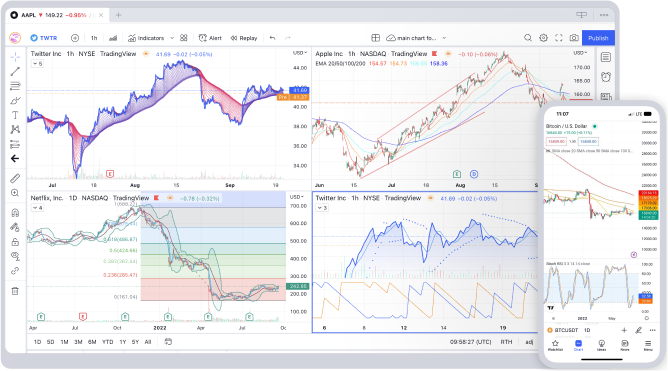
Do you trade on a go or prefer a desktop experience? Choose the best option for you from the collection of powerful apps for all trading occasions.
When executing customers' trades, FXCM can be compensated in several ways, which include, but are not limited to: spreads, charging commissions at the open and close of a trade, and adding a mark-up to rollover, etc.
Leverage: Leverage is a double-edged sword and can dramatically amplify your profits. It can also just as dramatically amplify your losses. Trading foreign exchange/CFDs with any level of leverage may not be suitable for all investors. Leverage for FX and CFDS varies per instrument. Major currency pairs default to 30:1, non-major currency pairs, gold and major indices default to 20:1, commodities other than gold and non-major equity indices default to 10:1, individual equities and other reference values default to 5:1 and cryptocurrencies default to 2:1.
Service Provider: FXCM is an independent legal entity and is not affiliated with this Service Provider. FXCM does not endorse any product or service of the Service Provider. Nothing associated with this promotion shall be considered a solicitation to buy or an offer to sell any product or service to any person in any jurisdiction where such offer, solicitation, purchase or sale would be unlawful under the laws or regulations of such jurisdiction.
Third Party Links: Links to third-party sites are provided for your convenience and for informational purposes only. FXCM bears no liability for the accuracy, content, or any other matter related to the external site or for that of subsequent links, and accepts no liability whatsoever for any loss or damage arising from the use of this or any other content. Such sites are not within our control and may not follow the same privacy, security, or accessibility standards as ours. Please read the linked websites' terms and conditions.
Tradingview is a third party charting provider. The displayed prices provided by Tradingview reflect only the indicative market prices and not actual dealing prices where trades will be executed by FXCM. It is possible that client orders may be executed at a price that is different from the displayed price on the chart. FXCM is not responsible or liable if any data, charting package or information provided by Tradingview is inaccurate or incomplete in any respect.