FXCM's Forex Charts: Features And Functionality
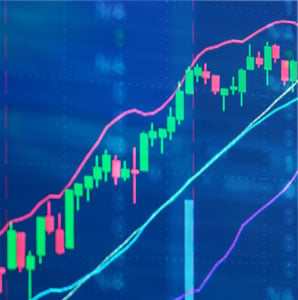
One of the essential disciplines of technical analysis is charting. Charting is the study of a security's relative value through a visual representation of price action. Charts are an integral part of any technical trader's approach, enabling the overlay of various tools and indicators upon price itself.
FXCM's Forex Charts application gives traders the ability to create fully customised price charts, making the advanced study of a security's price action possible. The following features are readily accessible via Forex Charts:
- Chart Types: Choose from a variety of formats including bar, candlestick, Heikin Ashi, line, area, Renko or point and figure chart types.
- Customisable Periodicity: Fully customisable intraday intervals are available, as well as daily, weekly and monthly timeframes.
- Instrument Comparison: Easily compare the performance of multiple instruments or indices using price overlays through utilising the "add symbol" function.
- Indicators: A robust suite of indicators stands ready and available for advanced technical analysis. In addition, a comprehensive selection of fundamental data items are handily included in the charting study.
FXCM's Forex Charts: Supported Instruments
FXCM's Forex Charts is a versatile tool for the study of financial instruments offered by every major global market or exchange. Depending upon the specific instrument and market, pricing data is available in real-time streaming, or on a delayed or end-of-day (EOD) basis.
Listed below are the instruments and fundamental data items supported by the Forex Charts application:
- International Indices: Index data from all major global exchanges
- Cryptocurrencies: A wide variety of cryptocurrencies and related products
- Economic Data: Fundamental economic statistics
- Quandl Financial Database: A vast offering of regional and international economic data
- Forex: All major, minor and exotic currency pairs
- CFDs: A wide variety of commonly traded CFDs are available
- Futures: All major global derivatives exchanges and products
- Stocks: Equities from all major global exchanges and OTC markets
FXCM's Forex Charts is much more than a research module for international currency trading. It is a robust financial information suite, providing traders and investors with a large collection of market-related data.
Whether one is a strict practitioner of technical analysis or a believer in market fundamentals, Forex Charts provides the functionality and information necessary to craft informed, rock-solid trading decisions.