No Dealing Desk Forex Trading Execution Provided by FXCM
Web Login

FXCM MetaTrader 4

Execution Policy, Features and Settings

Open an MT4 account

Features and Settings

Feature Details
Tradable Currency Pairs 56
GMT Offset 0
Default Lot Size 0.01 (micro lots)
Stop Loss and Take Profit Restrictions None
Pending Order Restrictions None
Scalping Restrictions None
Forex Execution Model No Dealing Desk
Default Order Type Fill or Kill Read More
Hedging No
Close Part of a Position Yes
Max Deviation Yes
Default Max Deviation 10 (1 pip)
Rollover Yes; displayed on the platform
Execution Type Instant Execution

Trade Execution

Orders to open and close trades, as well as take profit (TP) orders execute Fill or Kill. These orders only execute if they can fill in their entirety at the requested price. These orders cannot be broken up and filled at multiple prices.

In the event that sufficient liquidity is not immediately available to execute a Fill or Kill order in its entirety, execution ceases.

Stop Loss (SL) orders, and orders submitted due to margin call do not execute Fill or Kill. These orders do fill in their entirety at the same price; however, execution will not cease if sufficient liquidity is not immediately available. Execution will continue until a price becomes available to fill the entire order.

Please note: all FXCM MetaTrader 4 accounts use FXCM's No Dealing Desk forex execution.

Margin Call

The margin call policy for FXCM MetaTrader 4 accounts is different from all other FXCM accounts. When a margin call occurs, trades will be closed one by one until "Free Margin" is greater than zero.

Trades are closed in the following manner when a margin call occurs. Normally, trades close in order of the size of their loss, from the largest loss to the smallest loss, as recorded in the "Profit" column at the time of margin call. However, trades cannot be closed out of FIFO (first in first out) order. These accounting rules will override the primary logic - largest losing trade closed first.

Please read the following examples closely to understand fully how the FXCM MetaTrader 4 margin call policy works.

Scenario 1

Client A has the following positions open in two different currency pairs when a margin call occurs.

  • Position 1: EUR/USD bought on January 1st
  • Position 2: GBP/AUD bought on January 2nd

At the time of margin call, the "Profit" column shows:

  • Position 1: -$50
  • Position 2: -$100

In this example, the MetaTrader 4 platform will close the trade with the largest loss first - Position 2. Because each position is in a different currency pair, FIFO accounting does not affect the order in which the positions close.

Scenario 2

Client B has the following positions open in the EUR/USD currency pair when a margin call occurs.

  • Position 1: EUR/USD bought on January 1st
  • Position 2: EUR/USD bought on January 2nd

At the time of margin call, the "Profit" column shows:

  • Position 1: -$50
  • Position 2: -$100

Because both trades are in the same currency pair, the MetaTrader 4 platform will follow FIFO accounting rules. Position 1 will be closed first even though it is not the largest losing position.

Scenario 3

Client C has the following positions open when a margin call occurs.

  • Position 1: EUR/USD bought on January 1st
  • Position 2: GBP/AUD bought on January 2nd
  • Position 3: EUR/USD bought on January 3rd

At the time of margin call, the "Profit" column shows:

  • Position 1: -$50
  • Position 2: -$100
  • Position 3: -$200

In this example, the largest losing trade is Position 3. However, it will not be the first trade closed because that would cause a FIFO conflict with Position 1. Position 1 was opened first and due to FIFO accounting it must close before Position 3. However, Position 2 has a greater loss than Position 1 so Position 2 will close first (there are no FIFO conflicts between these trades).

After Position 2 closes, if "Free Margin" is still at or below zero, Position 3 will now be the largest losing position. However, Position 3 cannot close before Position 1 due to FIFO accounting. So Position 1 will close second followed by Position 3.

Scenario 4

Client D has the following positions when a margin call occurs.

  • Position 1: GBP/AUD bought on January 1st
  • Position 2: EUR/USD bought on January 2nd
  • Position 3: EUR/USD bought on January 3rd

At the time of margin call, the "Profit" column shows:

  • Position 1: -$500
  • Position 2: -$10
  • Position 3: -$50

In this example, position 1 is the largest losing trade and there is no FIFO conflict. Therefore, it will be closed first. Next, if "Free Margin" is still below zero, another position will close. Position 3 has a larger loss than Position 2, but Position 2 was opened first. The platform will follow FIFO accounting rules and close Position 2 next.

Max Deviation

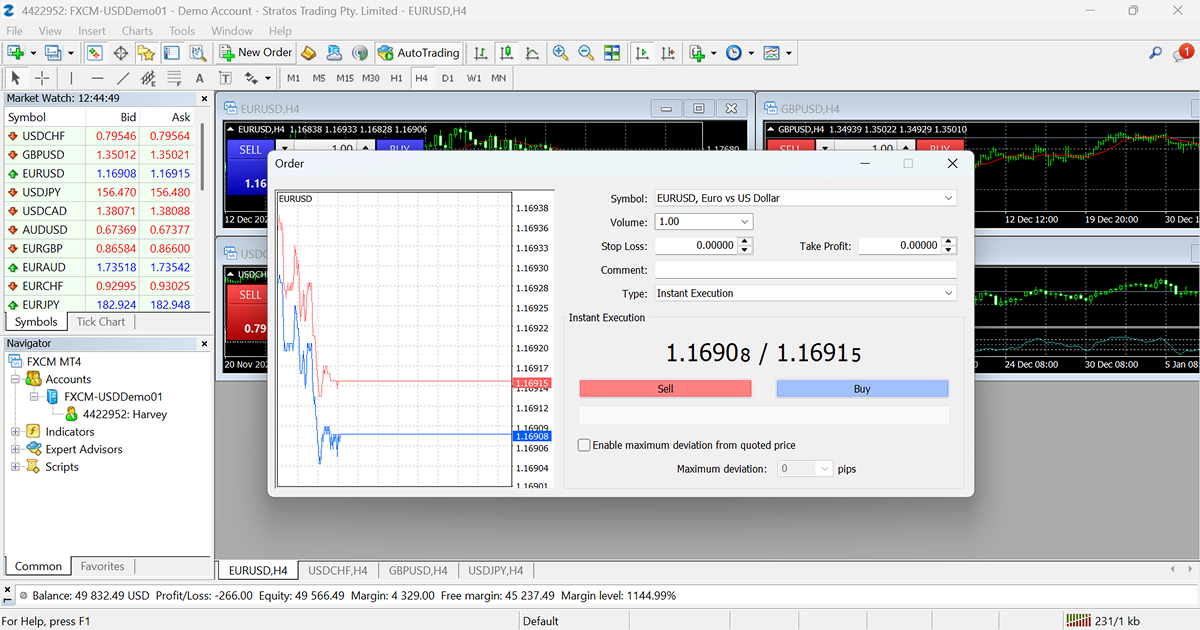
With FXCM MetaTrader 4, all orders execute using instant execution. This MetaTrader 4 execution type enables the maximum deviation ("max deviation") feature.

The maximum deviation feature was designed to control slippage - both negative and positive - in the following way. When creating an order, a number is specified in tenths of a pip (≥0) in the max deviation field. This number is the maximum amount of slippage the order can receive. If the market price moves beyond this amount while the order is executing, the order will cancel automatically. This is how the maximum deviation feature was designed to function.

FXCM trading policy allows for unlimited positive slippage on all order types. Therefore, FXCM has developed a way to override the restriction that the maximum deviation feature places on positive slippage. All orders placed on the FXCM MetaTrader 4 platform fill with the greatest amount of positive slippage possible.

In the event that an order fills with positive slippage beyond the maximum deviation, the platform logs a message in the "Journal" tab. The message has the following format: ${Amount} - Positive Slippage - {Order Number}. ${Amount} is the positive slippage the order received beyond the maximum deviation.

If the market price moves negatively beyond the maximum deviation, the order cancels automatically. When this occurs, an "Off Quotes" message is displayed. This is a standard MetaTrader 4 message notifying the user that an order canceled because the market price deviated beyond the order setting.

Please note: dependent upon market conditions, a lower maximum deviation amount can increase the likelihood that an order will be rejected due to the market price moving outside of the maximum deviation.

Net Stops and Limits

The FXCM MetaTrader 4 platform uses Net Stops and Net Limits. When you have multiple positions open in the same currency pair, a stop loss (SL) or take profit (TP) functions as a Net Stop or a Net Limit. Changing the stop loss or take profit price on any individual trade overrides all existing SL and TP prices in the same currency pair.

Learn more about how Net Stops and Net Limits work.

Pending Orders

You cannot use a pending order to close a trade or a portion of it. Pending orders can only be used to open new trades. For example, assume that an account is long 0.2 EUR/USD. A trader then creates a pending order to sell 0.1 EUR/USD. If the pending order price is reached, the order will trigger for execution. However, because the pending order is attempting to trade in the opposite direction of the existing long trade, the pending order will automatically cancel, leaving the long trade unaffected.

When closing a trade, MetaTrader 4 users can use stop loss and take profit orders as an alternative to pending orders.

Cross-Platform Compatibility

FXCM MetaTrader 4 login credentials grant a user with access to the FXCM Trading Station platforms. Therefore, FXCM MetaTrader 4 account holders can place and manage trades and orders through the FXCM Trading Station platforms. Account details for retail clients (e.g. orders, trades, P/L, margin, equity) will match on all of these platforms and their statement of records. However, please note that some functionality available on the FXCM Trading Station platforms may not be available on the FXCM MetaTrader 4 platform.

FXCM MetaTrader 4 Server Information

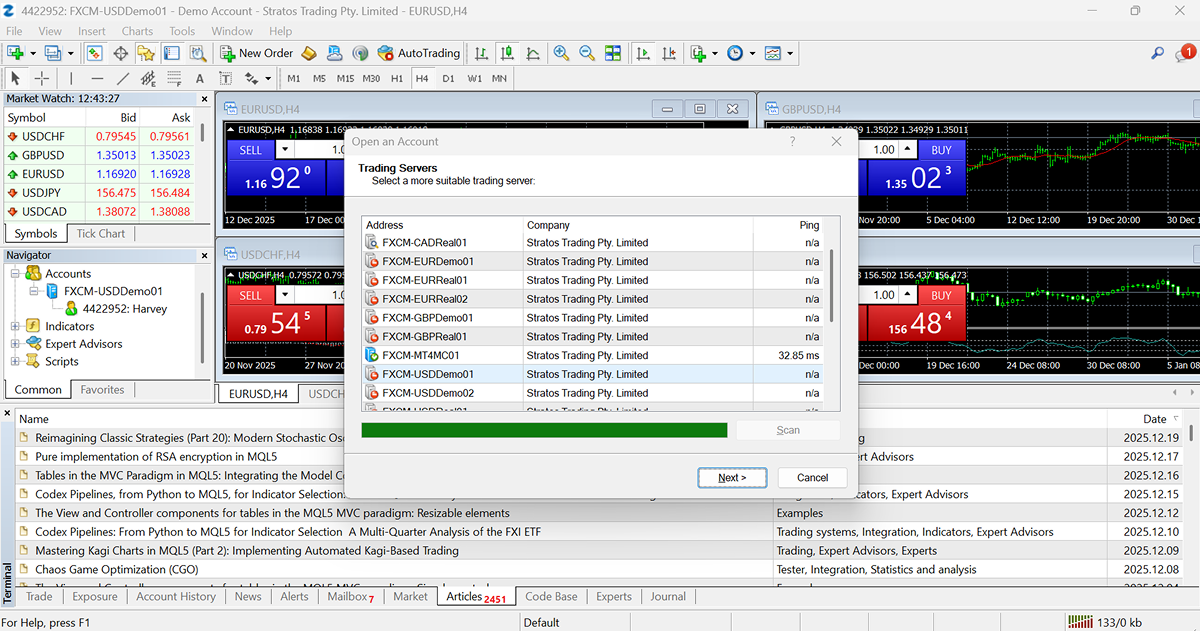
Under rare circumstances it may be necessary to type in a server address when logging into FXCM MetaTrader 4. So long as you download FXCM MetaTrader 4 here and install it on your computer or VPS, you will not need these server addresses.

If you need to enter the server address when logging in, be sure to use the one that corresponds to your trading account's denomination. As an example, if your account is denominated in U.S. dollars, you would use "mt4r01.fxcorporate.com."

MetaTrader 4 Live Servers

Account Demonination Server Address
US Dollars mt4r01.fxcorporate.com
Euros mt4r02.fxcorporate.com
Japanese Yen mt4r03.fxcorporate.com
British Pounds mt4r04.fxcorporate.com
Australian Dollars mt4r05.fxcorporate.com

MetaTrader 4 Demo Servers

Account Demonination Server Address
US Dollars mt4d01.fxcorporate.com
Euros mt4d02.fxcorporate.com
Japanese Yen mt4d03.fxcorporate.com
British Pounds mt4d04.fxcorporate.com
Australian Dollars mt4d05.fxcorporate.com

Forex Capital Markets, LLC. ("FXCM LLC") is an independent legal entity and is not affiliated with MetaQuotes Software Corp. ("MT4"). MT4 is not owned, controlled, or operated by FXCM LLC. Therefore, FXCM LLC does not make any warranties regarding any product or service and has not reviewed or verified any performance results that may be presented and/or described on this website.