

As the world's largest financial market, the forex attracts millions of participants from around the globe on a daily basis. The result is a highly liquid, diverse trading venue that…
What is Forex & How Does It Work?
Forex, also known as foreign exchange, FX or currency trading, is a decentralized global market where all the world's currencies trade. The forex market is the largest, most liquid market in the world with an average daily trading volume exceeding $5 trillion.
All the world's combined stock markets don't even come close to this. But what does that mean to you? Take a closer look at forex trading and you may find some exciting trading opportunities unavailable with other investments.
What is the Forex Market?
If you've ever traveled overseas, you've made a forex transaction. Take a trip to France and you convert your pounds into euros. When you do this, the forex exchange rate between the two currencies—based on supply and demand—determines how many euros you get for your pounds. And the exchange rate fluctuates continuously.
A single pound on Monday could get you 1.19 euros. On Tuesday, 1.20 euros. This tiny change may not seem like a big deal. But think of it on a bigger scale. A large international company may need to pay overseas employees. Imagine what that could do to the bottom line if, like in the example above, simply exchanging one currency for another costs you more depending on when you do it? These few pennies add up quickly. In both cases, you—as a traveler or a business owner—may want to hold your money until the forex exchange rate is more favorable.
There are several key differences between swapping currencies abroad and buying or selling forex.
Participating in the foreign exchange market is the easiest, most efficient way of exchanging currencies. You don't have to stand in line at a currency dealer and pay undue premiums to trade monies. Instead, you simply need computing power, internet connectivity and an FX broker to engage the world's currency markets.
How Does Forex Trading Work?
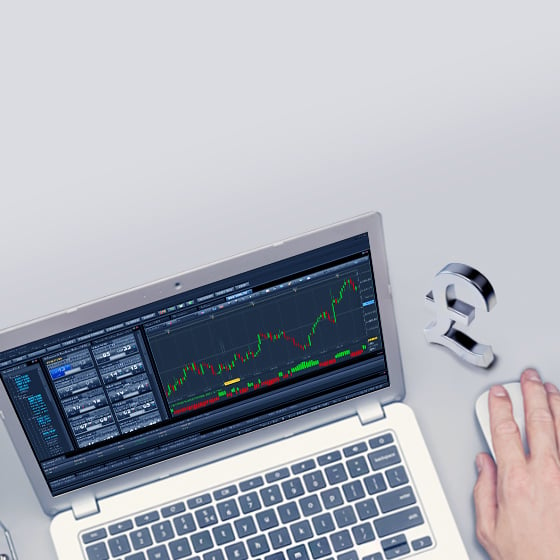
On the foreign exchange market (forex), trade is conducted in an exclusively electronic format. Currency pairs are bought and sold 24 hours a day, 5 days a week by participants worldwide. Market participants engage the forex remotely, via internet connectivity.
Upon a trader sending a buy or sell order to the market, forex brokers facilitate the transaction by extending margin. Accordingly, the trader is able to open new positions far in excess of capital-on-hand, with the goal of realizing profits from beneficial movements in price. To complete each forex trade, the market's technological infrastructure matches contradictory orders from market makers, individual traders and other liquidity providers.
How to Start Forex Trading?
All forex trades involve two currencies because you're betting on the value of a currency against another. Think of EUR/USD, the most-traded currency pair in the world. EUR, the first currency in the pair, is the base, and USD, the second, is the counter. When you see a price quoted on your platform, that price is how much one euro is worth in US dollars. You always see two prices because one is the buy price and one is the sell. The difference between the two is the spread. When you click buy or sell, you are buying or selling the first currency in the pair.
Let's say you think the euro will increase in value against the US dollar. Your pair is EUR/USD. Since the euro is first, and you think it will go up, you buy EUR/USD. If you think the euro will drop in value against the US dollar, you sell EUR/USD.
If the EUR/USD buy price is 0.70644 and the sell price is 0.70640, then the spread is 0.4 pips. If the trade moves in your favor (or against you), then, once you cover the spread, you could make a profit (or loss) on your trade.
Trading FX pairs in the contemporary forex marketplace is straightforward and user-friendly. Vast functionalities are readily available on the software trading platform designed to aid in analysis and trade execution. Some of the most powerful features are advanced charting applications, technical indicators and multiple order types. Whether you are an intraday scalper or long-term investor, modern platforms make it routine to conduct business with forex.
Pros and Cons of Trading Forex?
Like all markets, forex features a unique collection of pros and cons. For any aspiring currency market participant, it's important to conduct adequate due diligence and decide if forex trading is a suitable endeavour.
Remote accessibility, limited capital requirements and low operational costs are a few benefits that attract traders of all types to the foreign exchange markets. In addition, forex is the world's largest marketplace, meaning that consistent depth and liquidity are all but assured. Factor in a diverse array of products, and retail traders enjoy a high degree of strategic freedom.
However, there are several pitfalls of which to be aware. First, the availability of enhanced leverage and abundance of trading options can seriously test one's discipline. Also, pricing volatility can be swift and dramatic, posing the risk of rapid, significant loss. Lastly, past performance is not indicative of future results― forex trading is always changing, emphasizing the need for sound strategy and strong risk management.
Flexibility and diversity are perhaps the two biggest advantages to trading forex. The ability to open either a long or short position in the world's leading major, minor or exotic currencies affords traders countless strategic options.
Any opinions, news, research, analyses, prices, other information, or links to third-party sites contained on this website are provided on an "as-is" basis, as general market commentary and do not constitute investment advice. The market commentary has not been prepared in accordance with legal requirements designed to promote the independence of investment research, and it is therefore not subject to any prohibition on dealing ahead of dissemination. Although this commentary is not produced by an independent source, FXCM takes all sufficient steps to eliminate or prevent any conflicts of interests arising out of the production and dissemination of this communication. The employees of FXCM commit to acting in the clients' best interests and represent their views without misleading, deceiving, or otherwise impairing the clients' ability to make informed investment decisions. For more information about the FXCM's internal organizational and administrative arrangements for the prevention of conflicts, please refer to the Firms' Managing Conflicts Policy. Please ensure that you read and understand our Full Disclaimer and Liability provision concerning the foregoing Information, which can be accessed here.