No Dealing Desk Forex Trading Execution Provided by FXCM
Web Login

FXCM Mobile Trading Products

Trading Platforms

Register to try mobile trading with a demo account:

* Required Information

Thank you

Your username and password has been sent to the email address you provided. Additional details on downloading the app are also provided.

Key features include:

The Mobile Trading Station is available for iPhone®, BlackBerry®, Android™, and Windows® Mobile.
See Frequently Asked Questions

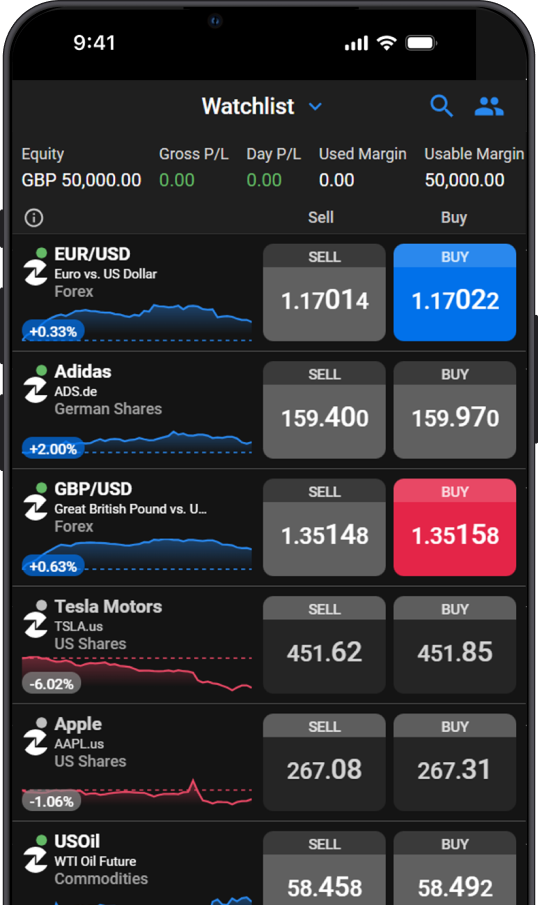
  • VIEW LIVE STREAMING RATES View live streaming rates and spreads on-the-go.
  • PLACE MARKET AND ENTRY ORDERS Place market and entry orders with only a few clicks.
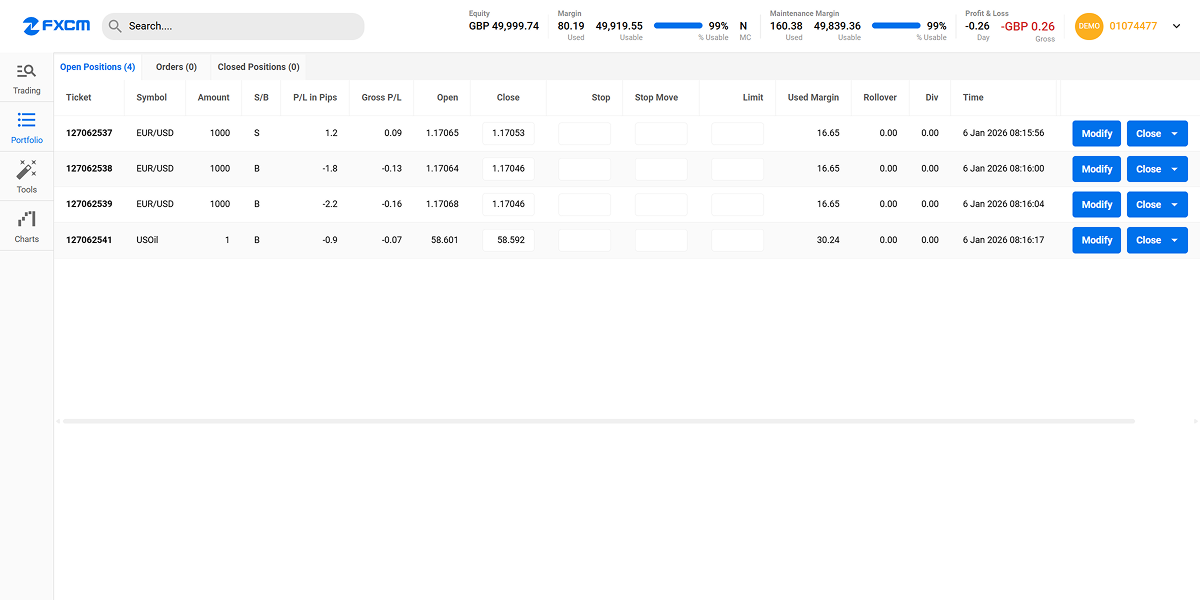
  • MANAGE LIVE TRADES AND ORDERS View real-time P/L. Close all or a portion of live trades.
  • MONITOR BALANCE AND MARGIN LEVELS View balance, equity and margin levels—all on one screen.
  • ACCESS AND ANALYSE CHARTS, NEWS AND REPORTS Streaming news and real-time charts provide actionable trading information.
Live Clients: go to www.fxcm.com/m on your mobile device to start trading
FXCM Mobile Forex Trading Station II
Available on the iPhone® App Store

The Mobile TSII platform is available to FXCM clients at no cost. FXCM Micro clients, however, are charged $0.10 per lot that they trade through the Mobile TSII platform.

Please note, some features of the FX Trading Station II will not be available on the FXCM Mobile Trading Station. Key differences include, but are not limited to, charting packages, daily interest rolls will not appear, and the maintenance margin requirement per financial instrument will not be available. Traders should familiarise themselves with the functionality of the Mobile Trading Station by using the demo version prior to trading real funds.

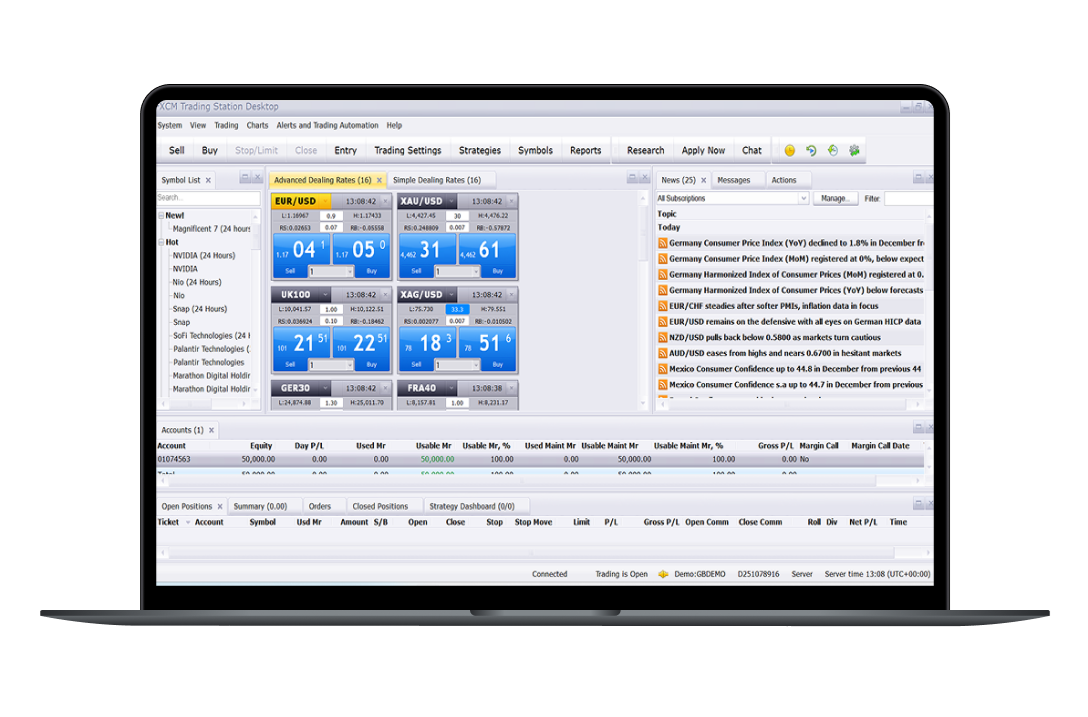
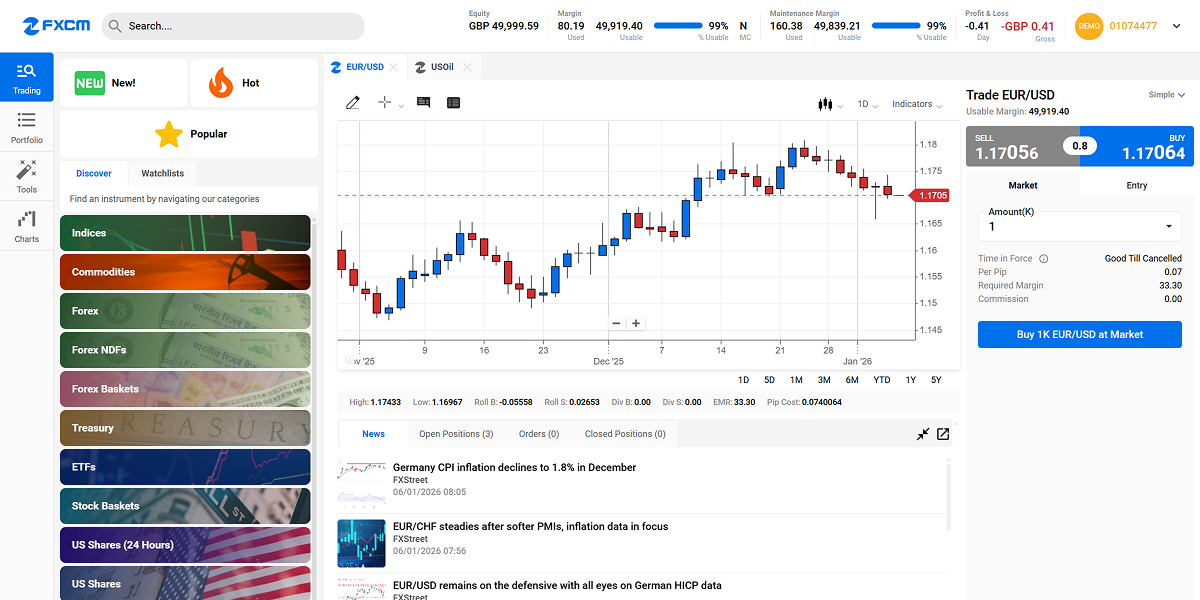
The mobile platform is included in FXCM's Trading Station software suite, which includes: Trading Station Desktop, Trading Station Web and Trading Station Mobile. FXCM recommends that Trading Station Mobile be used judiciously, with the understanding that there are inherent risks involved with mobile technology, including but not limited to delayed price updates, delayed order execution, and duplication of order submission. Additionally, the mobile platform may not include the same trading features or have access to the same order types as the desktop and web platforms. For these reasons, FXCM recommends that Trading Station Desktop and Trading Station Web be used as the primary trading platform. Prices displayed on the mobile platform are solely an indication of the executable rates and may not reflect the actual executed price of the order.

Although demo accounts attempt to replicate real markets, they operate in a simulated market environment. As such, there are key differences that distinguish them from real accounts; including but not limited to, the lack of dependence on real-time market liquidity. The operational capabilities when executing orders in a demo environment may result in atypically, expedited transactions; lack of rejected orders; and/or the absence of slippage. Additionally, updates to demo accounts may not coincide with those of real accounts.

All entry orders placed using the FXCM Mobile Trading Station II (from Market Simplified) are entered as Good Till Canceled.

iPhone and iPod touch are trademarks of Apple Inc., registered in the U.S. and other countries. App Store is a service mark of Apple Inc. Android is a trademark of Google Inc. BlackBerry® and related trademarks, names and logos are the property of Research In Motion Limited and are registered and/or used in the U.S. and countries around the world. Microsoft, Windows Phone is a trademark of the Microsoft group of companies.

Mobile Price & News Alerts

STAY INFORMED WITH MOBILE ALERTS

Whether you're away from your computer, on vacation, or busy at work, Mobile Price Alerts allow you to stay informed with forex information that's relevant to you. Get price alert and news alert notifications by text message with DailyFX Mobile Alerts.

Key features include:
  • Price Alerts Simply select a currency pair and a price. If the market reaches your price, we'll notify you by text message—allowing you to take action.*
  • News Alerts Stay on top of market moving news events. You select the countries and we'll text you the outcome of some of the most important news releases like: central bank rates, GDP, CPI, employment data, durable goods, housing data and more.

Register or log in to start using Mobile Alerts. Visit the Mobile Alerts home page.

* Mobile Alerts can be accessed from any mobile device with Internet access. Standard data charges may apply.

FXCM Mobile Forex Trading Station II

FXCM MOBILE

Contacting FXCM is simple. With our new mobile website, accessing support on-the-go has never been easier.

Key features include:
  • TELEPHONE & E-MAIL SUPPORT FXCM Mobile makes it easy to speak with our support staff. Give us a call or send us an e-mail.
  • FX STATUS Access real-time status updates for the FX Trading Station II platform and all FXCM services straight from your mobile device.
  • DEMO ACCOUNT REGISTRATION Using our Mobile TSII platform? Register for a FREE 30-day demo account right on your mobile device.

Access FXCM Mobile for free by visiting http://mobile.fxcm.com on your mobile device.

DAILYFX MOBILE (NEW!)

Take the DailyFX analysts with you anywhere you go with DailyFX Mobile. Now some of your favorite reports, strategy pieces and more can be accessed from your mobile device.*

Key features include:
  • DailyFX Real-time News Feed View breaking market news and trades from the DailyFX analysts.
  • Live Interactive Charts Choose from multiple currency pairs and time frames.
  • Economic Calendar Monitor the most important economic news releases for the day.
  • News & Price Alerts View live rates and set custom price alerts and receive important economic events via SMS/text.

Access DailyFX Mobile for free by visiting http://mobile.dailyfx.com on your mobile device.

* DailyFX Mobile can be accessed from any mobile device with Internet access. Standard data charges may apply.

FXCM Mobile Forex Trading Station II

MOBILE TSII FAQs

  1. What mobile operating systems are supported? The following mobile operating systems are supported: iOS - 3.2 or later, Android 1.6 or later, BlackBerry 4.1 and later, Windows 5.0 and later, Java/Symbian various versions are supported. Please contact FXCM Financial Services for more information on supported devices.
  2. Is the Mobile TSII platform free for FXCM Micro clients? No. Unlike FXCM clients who can use all FXCM mobile platforms at no cost, FXCM Micro clients are charged $0.10 per micro lot that is traded through the Mobile TSII platform.
    FXCM Micro clients can trade through FXCM's Trading Station Mobile tablet platform at no cost.
    Download Trading Station Mobile for iPad® and Android™ tablets.

    iPad is a trademark of Apple Inc., registered in the U.S. and other countries. Android is a trademark of Google Inc.

  3. Is the mobile trading platform available in other languages? We are currently working on supporting several languages in the coming months.
  4. How do I install the mobile trading platform? Installation instructions are available on our site here.
  5. Is there a video to show me how to trade? Yes, the videos can be found here.
  6. What are the steps to signing up and downloading the mobile trading platform? Directions can be found here. But in general, sign up for a demo account if you're not an existing client, go to the above referenced link and download the application to your mobile device.
  7. How do I use the mobile trading platform? Please view the video tour and select the appropriate device.
  8. Will the Mobile TSII Platform have all of the same features that FXCM Trading Station II has? No, some features of the FXCM Trading Station will not be available on the FXCM Mobile Trading Station. Key differences include, but are not limited to, charting packages will be limited, daily interest rolls will not appear, and the maintenance margin requirement per financial instrument will not be available. Traders should familiarise themselves with the functionality of the Mobile Trading Station by using the demo version prior to trading real funds.
  9. Can I trade my FXCM Micro account on the mobile platform? Yes, you are able to trade with your Micro account. If you are trading via an FXCM Micro account, your account will be charged and debited a service fee of $0.10 per 1,000 unit lot for each trade entered using the Mobile TS II.
  10. Can I trade my MT4 account on the mobile trading platform? At this time most FXCM MT4 accounts have access to the mobile trading platform, however some MT4 accounts do not. Contact FXCM Financial Services to see if your MT4 account is enabled for mobile access.
  11. Will other mobile devices be supported in the future? We may add additional devices in the future.
  12. Can I use my existing FXCM account? Yes, you can use your current username and password to login also.
  13. What FXCM account types can I trade on Mobile? Currently you can trade Standard and Micro account types.
  14. Does FXCM support all mobile service carriers? Mobile Trading Station II is available on networks that supply service to iPhone®, BlackBerry, and supported Windows Mobile devices.
  15. Do I need a data plan to use FXCM Mobile's Trading Station? Yes, your smartphone needs to access the Internet to be able to use the Mobile Trading Station.
  16. I have a LAMM account. Can I switch between my accounts on the mobile trading platform? No. PAMM and LAMM accounts will not be able to switch between accounts.

iPhone® and iPod touch® are trademarks of Apple Inc., registered in the U.S. and other countries.